What it replaced
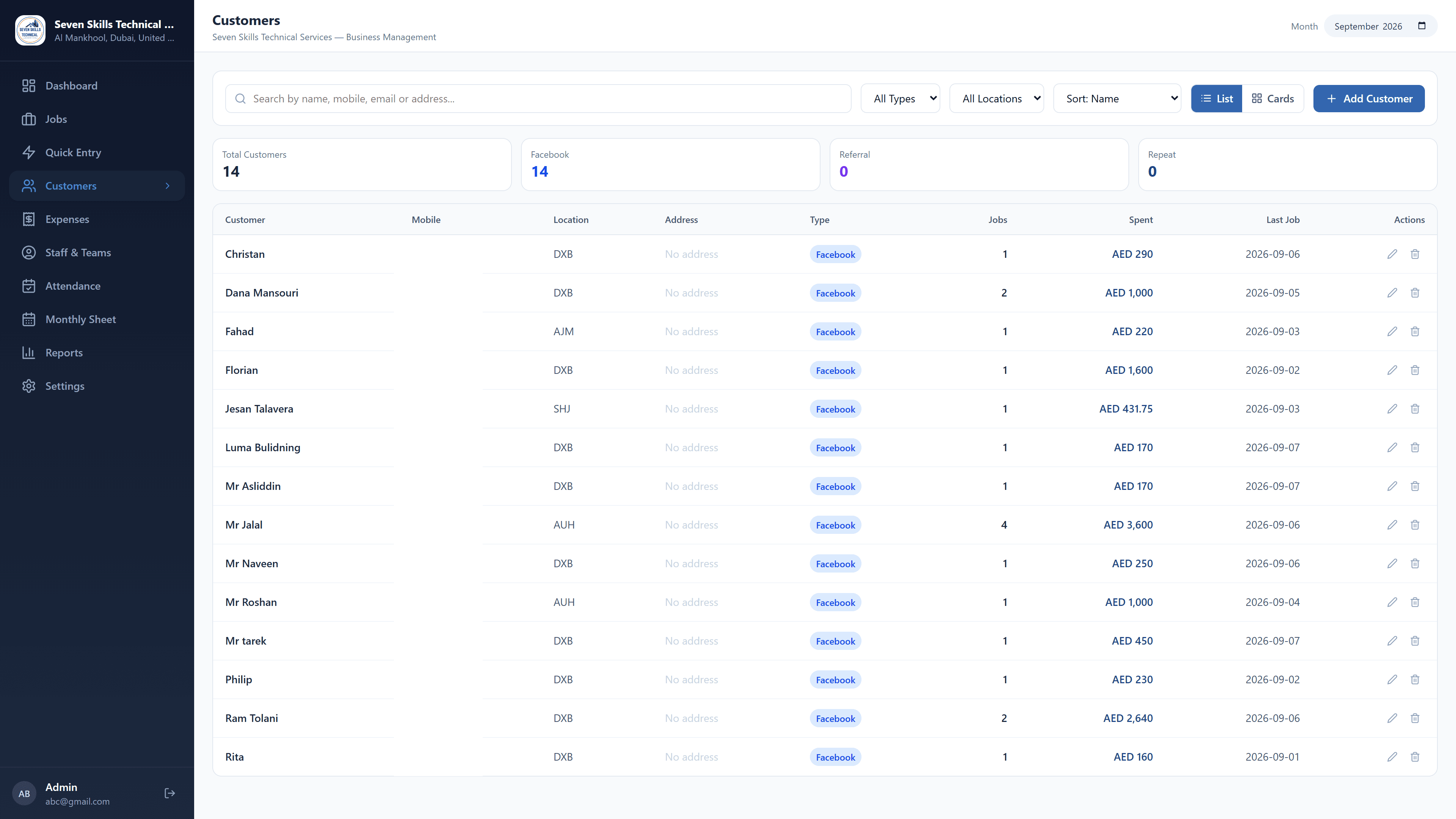
The company's year ran on one spreadsheet per month: a job register, an expense sheet and a profit-and-loss page, each maintained separately. The month it was built from had 19 jobs, 14 customers and 78 expense lines across six categories, and reproducing it exactly — to the fils — was the first test the application had to pass.
Rebuilding that month surfaced the kind of thing a spreadsheet hides. Two rows were the same customer under different names. The expense sheet's dates still carried the previous month's number, which the daily totals proved was a stale label rather than the wrong month. One job was 500 in the register and 900 in the profit page, a 400 discrepancy nobody had noticed.
Entering a day in one line each
The bottleneck was never the reports; it was getting the day into the system at all. A job has a customer, a mobile, a location, an apartment type, units, a price, extra work, a payment method, a grade, a source and a time — twelve fields nobody fills in on a phone between appointments.
Quick Entry takes the whole job as one line, the way it would be said out loud, and reads it by position: name, mobile, location, type, units, amount, extra. Position matters because the words are genuinely ambiguous. "Split" is both an apartment type and a unit of measure; a run of digits is a phone number when a word follows it and money when nothing does. Order-independent keyword matching got these wrong often enough to be untrustworthy, so the parser anchors on the sequence instead and falls back to loose matching only when a line does not start with a name.
Speech uses the browser's own recognition, so there is no API key and no per-use cost. Spoken numbers are normalised before parsing — digit runs joined into a mobile, "double five" expanded, amounts read as figures — and a whole utterance stays on one line no matter how many times the speaker pauses.
Nothing is written until the parsed result has been shown as a table, one row per line, every field visible, with anything the app has not seen before flagged: a new location, a new apartment type, a new expense item. Those are added to the settings lists on import rather than silently invented.
A day off, costed once
Staff are paid a fixed monthly salary, which the owner wanted reduced for days not worked. That figure appears in five places — the day's expenses, the month's expense total, the staff member's payable, the daily profit sheet and the dashboard — and in the spreadsheet each was adjusted separately, or forgotten.
Attendance stores only the exceptions. Everyone counts as present and a recorded absence subtracts that day's share of the salary wherever the figure is derived, so the five places cannot disagree.
Where the data lives
The whole application runs on real SQLite — 13 tables with foreign keys and indexes, not an imitation built over key/value storage. In the browser the engine is compiled to WebAssembly and the database kept as one binary blob; in the desktop build it is an ordinary `.db` file in the application's own data folder, which can be copied, backed up, or opened in any SQLite tool.
That was a deliberate choice made before the desktop build existed. Keeping the engine in the front end means every query is synchronous, so pages read and render without waiting, and moving to the desktop changed one file — the part that knows where the bytes are — and nothing above it.
Saving writes to a temporary file and moves it into place, so a crash halfway through cannot leave a half-written database: either the old file survives intact or the new one is complete. The closing window is held open until the last write has landed. A copy is taken every time the app starts, and the last ten are kept.
Signing in
There is no built-in account. On first run the app asks for an email and password and those become the only ones that work; there is no default to forget to change, and no reset, because there is no server to reset from.
Two-step verification with an authenticator app is offered once, immediately after setup, and can be turned on or off afterwards from settings. It is genuine TOTP, implemented against the standard and checked against the published test vectors, with a thirty-day device trust option so it does not become a daily obstacle.
Looking like the company
Uploading the company logo re-colours the application to match it. The colour is read from the logo — the mark rather than the card it sits on — and turned into a full palette that keeps white text readable on solid fills and dark text readable on tinted panels, whatever colour the logo happens to be.
Proof it works
116 automated tests cover the parsers, the attendance arithmetic, the money rounding, the authenticator, and the colour palette's contrast across nine very different logos. The real month is the fixture: if the totals stop matching the original spreadsheet, the tests fail.